The number of core switch ports is large, usually modular, and can be freely matched with optical ports and Gigabit Ethernet ports. The general core switches are Layer 3 switches, and various advanced network protocols such as routing protocol/ACL/QoS/load balancing can. Does every network need a core switch? Can a router be used instead of a core switch? How do I determine the bandwidth requirements for my core switch? What security features should I look for in a core switch? How often should I update the firmware on my core switch? What are the key performance. Home / Ethernet Switch / Do I need a core switch? The simple answer is “yes. ” Every complex network comprises multiple computers and devices. To route the traffic and improve the performance of the network, you must have a proper mechanism. What would you employ to simplify the network? The core. ● Up to 28 native nonblocking 40/100 Gigabit Ethernet QSFP28 ports. 3-GHz x86 CPU with 8 cores and 32 GB of DDR4 memory. ● Up to 960 GB of SSD. rity to ensure guests and property peaceful and safe. Our solutions provide stable and continu arge commercial buildings host many separate entities. The primary function is to access user data or aggregate some switch data at the access layer. This kind of switch can configure Vlan simple routing protocol and some simple. The number of conventional switch ports is generally 24-48.
[PDF]
This is determined by the speed capability of one individual port on your switch. If each port supports 1 Gbps, then each port's capacity is simply that – 1 Gbps. To estimate the switch's overall capacity, multiply the per-port speed by the total number of ports on the switch. Well, understanding how to calculate the switching capacity of your switches is the first step! What is Switching Capacity? Let's start from square one. Switching capacity, often known as fabric capacity, is the total amount of data a switch can process and transfer in a given second. This. These examples help compare common edge switch scenarios. This calculator blends physical port bandwidth, demand estimation, and planning margin into one capacity model. The 20-byte packet overhead is a practical approximation for wire-rate planning. Enter the number of access ports that serve. Calculating a network switch's capacity, often referred to as its backplane bandwidth or switching fabric capacity, is crucial for determining if it can handle the anticipated network traffic without creating bottlenecks. Whether you're managing a small office network or a large enterprise setup, understanding switching capacity is essential for ensuring optimal performance. When the switch achieves line speed (maximum forwarding speed), the.
[PDF]
In this video we will learn how to configure cisco core switch active active using HSRP step by step. In this LAB we practice on creating vlan, distribute vlan to other switch in our network, creating interface vlan and assign IP address for layer 3 routing, and. more. Follow these simple best practices to set up a new network switch. And this process is a little more advanced than, say, setting up your home Internet or even a plug-and-play type switch. But, with the right guidance. Although a Cisco switch is a much simpler network device compared with other devices (such as routers and firewalls for example), many people have difficulties to configure a Cisco Catalyst Switch. Unlike other lower class switch vendors (which are plug-and-play), the Cisco switch needs some. Looking to configure a Cisco switch for the first time? If the answer is YES, you're in the right place. You're going to configure: SSH access with local AAA authentication. Cisco switches are used in both small and large networks to manage traffic, control access, and provide the infrastructure for local area networks. What configuration does a core switch have? EXTENSIBILITY SHOULD INCLUDE TWO ASPECTS 1. The slot is used to install various function modules and interface modules. more In this video we will learn.
[PDF]
This is a walkthrough for the TASK Master side mission in Borderlands 4. Read on to follow the objectives and clear the mission, as well as how to replace power core. TASK Master is part of a questline that starts with The Kairos Job. A core switch in networking serves as the high-capacity backbone, italic centralizing data flow and ensuring efficient communication between different network segments. Simply put, it's the kingpin that keeps your network humming. You may also want to know: Can a Nintendo Switch Play DS Games? ·. To prevent electrostatic damage (ESD) to electronic components, you must be sure that you are grounded while handling electronic components. Components include, but are not limited to, all switch modules. Connect the switch to the facility earth ground. Attach an ESD wristband to your arm and be. Unless you power on layer 3 switch; specifically 3650, you will not be able to configure it or even access the command line interface (CLI). In this post, I will show you how to power on Layer 3 switch in packet tracer; both the steps you need to take and a video demonstrations of the process Here. In such high-capacity ethernet networks, switches are crucial as they direct data and transmit signals to the addressed devices. There are different types of enterprise switches that perform various roles in these layer-based or hierarchical ethernet networks. Complete The Kairos Job, Free for the TASKing, and TASK and Ye.
[PDF]
Quick Answer: To check CPU utilization on a Cisco switch, use the command “show processes cpu” in the CLI. This displays current CPU load, CPU usage history, and process-specific details, aiding in network performance troubleshooting. The CPU becomes too busy when either an IOS process consumes too much CPU time or the CPU receives too many packets from the switching hardware. When either of these two CPU consumers requires the CPU resource to the detriment of the other, then the CPU is too busy. For instance the CPU is. High CPU utilization on Cisco switches can lead to degraded network performance, packet loss, and even switch failures. Identifying and troubleshooting the root cause of high CPU usage is essential for maintaining a healthy network. In this article. I noticed that after having VLANs, ClearPass, spanning tree, and all other settings configured, that CPU util was just sitting at or above 85% on all these switches. I updated firmware to the latest version on all of them, but that didn't help. Problem analysis process 1. According to the switch logs, after searching for related processes, we can find that the. my switch core has high CPU usage every 3 minutes, switch logs attached. Do the outages/CPU spikes occur at the same time as the log entries appear such as : 00828 lldp:. Thank you, Fix the problem indicated.
[PDF]
A core switch is a crucial component of a network infrastructure that serves as the backbone of a network. It's a high-performance switch that provides high-speed connectivity between different network segments, which may include access switches, distribution switches, and routers. Engineered to aggregate massive volumes of data from distribution switches, it provides ultra-low latency and maximum throughput to ensure uninterrupted routing and packet. It's more than just a switch; it's the central nervous system of your network infrastructure. Its primary function is to rapidly forward data packets between. Professional networks are structured using a three-tier hierarchical model to ensure scalability and efficient traffic management. This model divides the network into three functional layers: the Access Layer, the Distribution Layer, and the Core Layer. The Access Layer sits at the edge, using. Core switches are the focal point for traffic control between access and distribution switches. They perform a vital function in ensuring the network's reliability and stability because they are in charge of routing data across the network infrastructure in a reliable and timely manner. They operate at the data link layer (Layer 2) or the network layer (Layer 3) of the OSI (Open Systems Interconnection) model, facilitating the communication of devices on a network by receiving, processing.
[PDF]
Frequent status changes from up to down or vice versa in the ports logged by the switch port syslog indicates a port flap. On a big industrial plant we've replaced an old HP switch with a brand new couple of C2960x switches in stack configuration and ever since then, every 6/8 hours or so, the two fiber optics links of switch #2 go down at once. These are connected to a ring of 3 similar other access switches, that. EX4650 2-switch virtual chassis, running version 19. 2, optic p/n 740-031981 (SFP+-10G-LR) is plugged into port xe-0/0/10 and connected to an ISP via single mode fiber. Nothing special is configured on the port, it is running at 10G speed, show interfaces diagnostics optics shows that it's. This article describes steps to diagnose the Continuous port flapping on a FortiSwitch. Verify Cable Connection: Ensure the cable is properly connected between the switch port and the end device. Run the command below on FortiSwitch multiple times and check the. Real head scratcher this morning that I'm hoping someone can help me with! The port on our core switch (HP A5500) that our Smoothwall box is connected to keeps going up and down. Port flapping, also known as link flapping, causes a switch port's state to fluctuate between up and down within concise periods of time. This instability caused by flapping ports affects network connectivity. Port flapping is a common network issue that can disrupt communication between devices and degrade overall network performance.
[PDF]
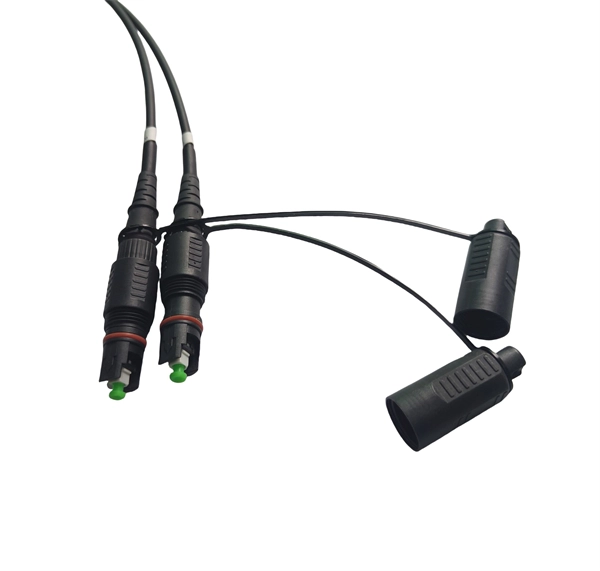
Most modern fiber-enabled network switches require an SFP transceiver module featuring a duplex (two strand) multimode OM3 or duplex single mode OS2 connection with LC connectors. Direct attach cables with pre-terminated SFP connections may also be used. Download the. In this article, we'll explain how to connect multiple Ethernet switches using fiber optic cables and the equipment required for this to work. Network topology refers to the way in which the links and nodes of a network are arranged in relation to each other. Download the Application PDF SFP transceiver. Choose an SFP module based on the fiber optic cabling that will be connected to the network switches. Always integrate duplex (two strand) fiber optic cabling or higher strand counts. So all PCs connected to each switch would reach the LAN/WAN from the other switch. The connection between two or more Ethernet switches in a certain way (Uplink port, etc. ) is called the cascade. Connecting a fiber optic switch involves several steps, ensuring compatibility between the switch's ports and the fiber optic cable. The process requires understanding the type of fiber optic port on your switch and selecting the appropriate transceiver module. Fiber optic switches utilize.
[PDF]
The SFP optical module is a standardized, modular assembly designed to be quickly installed or removed from a device's port without requiring the device to be powered down. This key feature—being hot-pluggable —is essential for simplifying network maintenance and minimizing downtime. SFP (Small Form-factor Pluggable) is a compact, hot-pluggable network interface module used to connect network devices (switches, routers, firewalls) to fiber optic or copper cables. It converts electrical signals into optical (or copper) signals and vice versa. An SFP transceiver acts as a compact, hot-swappable optical transceiver that. An SFP switch uses Small Form-Factor Pluggable (SFP) modules to form a network switch for high-speed connectivity between devices. These interchangeable modules support various media types, including copper or fiber-optic cables, providing flexible networking options based on specific requirements.
[PDF]
Cisco announces the end-of-sale and end-of-life dates for the Cisco Catalyst 1000 Series Switches. The last day to order the affected product (s) is April 30, 2025. Tax included. This item is a deferred, subscription, or recurring purchase. By continuing, I agree to the and authorize you to charge my payment method at the prices, frequency and dates listed on this page until my order is fulfilled or I cancel, if permitted. Customers with active service contracts will continue to receive support from the Cisco Technical Assistance Center (TAC) as shown in. Intuitive software interface for effortless network configuration and monitoring. 8 x 1G ports Energy efficient 2 x 10G ports The NETGEAR 10-Port Gigabit/10G Ethernet Plus Switch (GS110EMX) is a versatile and efficient networking solution featuring 8 x 1G and 2 x 10G ports, designed for seamless. Cash On Delivery. Delivery All Over Lebanon. A 24-port, Layer 3 switch capable of high-power PoE++ output. Flexible 10 Gigabit connectivity for SME and SMB environments. Packet Forwarding Rate Buy online D-Link 24-Port Gigabit Stackable Smart Managed Switch with 10G Uplinks |DGS-1510-28XMP at ayoubcomputers. AYOUB. Discover the TP-Link Switches collection, providing efficient networking solutions designed to enhance connectivity and streamline your network infrastructure. These switches deliver reliable performance and advanced features, making them ideal.
[PDF]
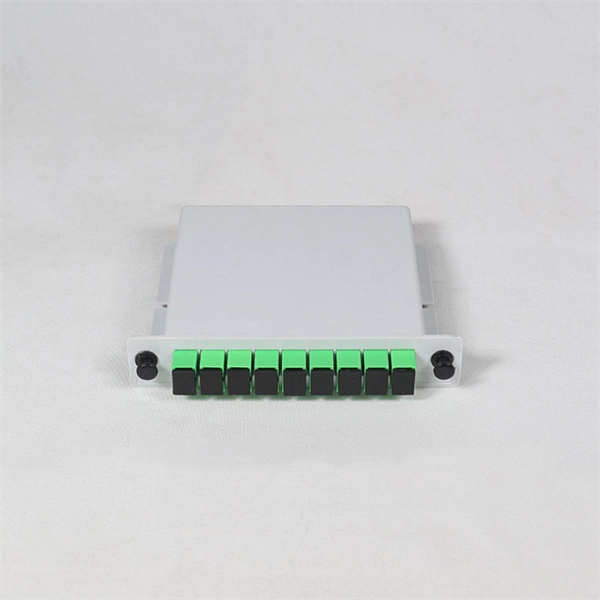
In this video, we'll guide you through the process of configuring a Huawei Switch for your network. Whether you're setting up a new switch or optimizing your existing network infrastructure, this step-by-step tutorial will help you get the job done efficiently. This document provides campus networks typical configuration examples and feature typical configuration examples. "Campus Networks Typical Configuration Examples" provides typical campus network networking modes and a variety of deployment examples. This document is for switches running V200R003C00 and later. In this video, we'll guide you. Saving Configuration: Save changes to make the configuration permanent: Checking Settings: Use commands like display user-interface console 0 to verify correct configuration. Exiting the Device: Log out of the device after completing the configuration. Enabling Telnet Service and Granting Access on. The Combo interface, also known as the optical-electrical multiplexing interface, consists of two Ethernet ports (one optical and one electrical) on the device panel, and there is only one forwarding interface inside the device.
[PDF]
Most modern fiber-enabled network switches require an SFP transceiver module featuring a duplex (two strand) multimode OM3 or duplex single mode OS2 connection with LC connectors. Direct attach cables with pre-terminated SFP connections may also be used. Download the Application. CONFIGURING THE SWITCH IN DESIGO CC/CERBERUS DMS. CYBERSECURITY DISCLAIMER. 44. This tutorial will explain the steps required to configure fiber optics on a Cisco switch and ensure proper connectivity in your network. This chapter includes the following sections: •Information About Fibre Channel Interfaces, page 1-1 •Configuring Fibre Channel Interfaces, page 1-8 •Configuring Global Attributes for. : 192. 0 De livery of solutions fulfilling the Customers' multitude o. This document is intended to serve as a guide for architecting and deploying fiber optic networks in a customer environment. This installation planning guide describes some basic fundamentals of fiber optic technology, considerations for deployment, and basic testing and troubleshooting procedures. Fiber optic cabling is increasingly used to connect network switches and other datacom equipment, especially in long-distance and mission-critical applications. Fiber provides: Increased internet signal bandwidth.
[PDF]
PoE delivers 44-57v of DC power over unshielded twisted-pair wiring for terminals consuming up to 25 watts, depending on the version of the standard in use. Power over Ethernet (PoE) describes any of several standards or ad hoc systems that pass electric power along with data on twisted-pair Ethernet cabling. This allows a single cable to provide both a data connection and enough electricity to power networked devices such as wireless access points. Imagine powering your entire network infrastructure through the same cables that carry your data, eliminating the need for separate power supplies and electrical outlets near every device. This isn't a futuristic concept—it's the reality that power over Ethernet has made possible since 2003. While PoE doesn't add Ethernet data capabilities, it does offer expanded options for how and where Ethernet end devices can be. Power over Ethernet is a technology that allows IP telephones, wireless LAN Access Points, security network cameras and other IP-based terminals to receive power, in parallel to data, over the existing CAT-5 Ethernet infrastructure without the need to make any modifications. The simple nature eliminates the need for multiple power supplies, and allows connectivity to devices where power outlets are not available. Instead of running a separate power line to each device, PoE lets the Ethernet cable (usually a Cat5e or Cat6 cable) carry both the network connection and.
[PDF]
For a three-way switch, two pigtails are generally connected to the common terminal: one for the incoming hot wire and one to extend the power to another device if needed. A simple switch does not need a neutral since the switch is interrupting the power feed only. Sometimes the power is run to the fixture box first and then a single 2 wire cable is brought down. In that instance. Traditional switches often require the home's circuit wires to be looped directly onto screw terminals, which can become a point of failure over time. Currently there are 10 ground wires spliced together if you include the 3 pigtails going to the switches. I haven't been able to open everything up and diagram. Each power conductor counts as 1. Pigtails do not count. 2nd. According to the National Electrical Code (NEC – United States) each item depending on the gage of wire Now take the number you came up with in the 1st column and multiply it by the cubic inch required [listed in 2nd column] for the. Pigtails act as bridges, allowing you to connect several wires to a single point without overloading connections. Professionals often prefer this method because it isolates issues, protecting downstream circuits from cascading failures. Why does this matter? Modern systems demand precision. For instance, if your circuit includes multiple wires feeding into a single outlet, pigtails create a reliable connection between the device and the circuit wires. This process prevents.
[PDF]
Check the steps ① whether the user network card is disabled, ② check whether the network cable is normal with a network cable tester, ③ replace the optical modem LAN port or other ports of the router and switch to test whether normal. Fiber optic networks are celebrated for their speed and reliability, but even the best systems can encounter problems. When issues like signal loss, slow speeds, or intermittent connectivity arise, systematic troubleshooting is key. This guide will walk you through diagnosing and resolving common. We have a fibre run, SM, 650 meters, with Level1 dumb switches at each end, I get Link lights at both ends, but there's no network traffic. Switch A is on the router end, devices connected to this switch get DHCP leases and can browse the internet without issue. These high-speed, high-capacity communication networks are increasingly replacing copper cables, offering superior performance and. However, even the most advanced fiber-optic networks can encounter issues that disrupt performance. This comprehensive guide delves into the most common FTTH problems faced by users, providing detailed troubleshooting steps and real-world solutions. Whether you're a network engineer, IT manager, or service provider, understanding these challenges and how to address them is critical for maintaining high-performance, reliable.
[PDF]