Press Windows + R to open the Run dialog box. Type cmd and press Enter. Look for the “Default Gateway” under your network connection (usually listed under Ethernet adapter or Wi-Fi adapter). Open up Command Prompt, PowerShell, or the Windows Terminal, then. If you need to log in to your router, you'll need to know its IP address. Fortunately, finding your router's IP address on any computer, phone, or tablet is easy. For more detailed instructions, read on. By default, eth1 is set up as a DHCP client, while eth0 is assigned a static IP address of 192. To configure the EdgeRouter, proceed to the appropriate section: DHCP or “Static IP Address”. Most routers have their default IP address printed on a label at the bottom or back of the device, or it's mentioned in the user manual. If you still have the router's manual or box, this is the.
[PDF]
Up to 16 I/O signals can be consolidated over a single home-run connection on the box. These junction boxes provide a rugged solution with an IP67 rating or greater, making them ideal for both indoor and outdoor applications. Products are available with M12, M8, 7/8”, or. Customize your Feit Electric OneSync Under Cabinet Lighting System with this UCL/JBX Hardwire Converter Junction Box. Get rid of unsightly wires that get in the way and take away from the beauty of your space. This easy to install junction box allows you to turn your OneSync Under Cabinet Lighting. Check each product page for other buying options. Price and other details may vary based on product size and color. Need help? Discover a wide selection of junction box adapters and mounting brackets. Perfect for secure electrical connections. Passive 4-, 6-, and 8- port junction boxes provide wiring consolidation, whether combining input signals or distributing output signals. Same and Next Day Delivery. The Junction Box Adapter installs easily onto existing (3rd party) junction boxes to enable the use of all Q-Series FicientLock products. Combine the QJBA with QL100 to make our.
[PDF]
The charts below quickly compare single-mode and multimode fiber optic cables. OS2 fiber is the best option for long distances, with transmission rates over 10 GB and distances of up to 200 km. OS1 can onl.
[PDF]
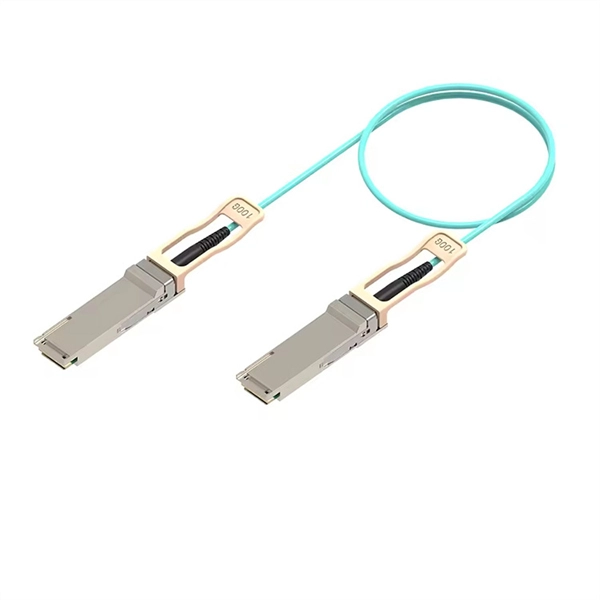
Looking at a typical 4 core fiber optic cable price list from OWIRE, prices start around $0. 40 per meter for basic indoor distribution cables and can go up to $1. Fiber-optic cable materials typically cost $1 to $6 per linear foot, depending on fiber count and cable type. Commercial building installations with 100-200 network drops generally range from $15,000 to $30,000. Single-mode fiber costs less per foot than multimode fiber, but it requires more. The actual price of such cables varies significantly based on several factors including cable type (single-mode vs. multimode), length, jacket material (indoor, outdoor, or armored), installation environment, and brand reputation. Labor dominates the installed price. Here is the 2026 benchmark for cost of laying fiber optic cable per foot by method: Open trench (lawn/field): $0. 80 per ft – fastest, lowest cost. This guide presents ranges in USD and practical price estimates to help. Single-mode fiber (OS2): This is the industry workhorse. In 2025, the base glass price has stabilized. You are looking at $0. The price swing usually depends on the fiber count (e., 12-core vs 96-core) and brand. Generic. Knowing how much fiber optic cable costs, which factors can impact cost, and key cost considerations can help you avoid unnecessary expense and get the most out of your budget.
[PDF]