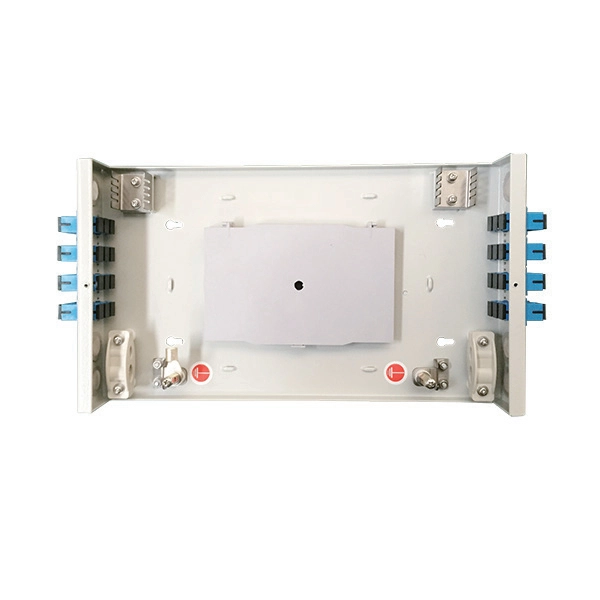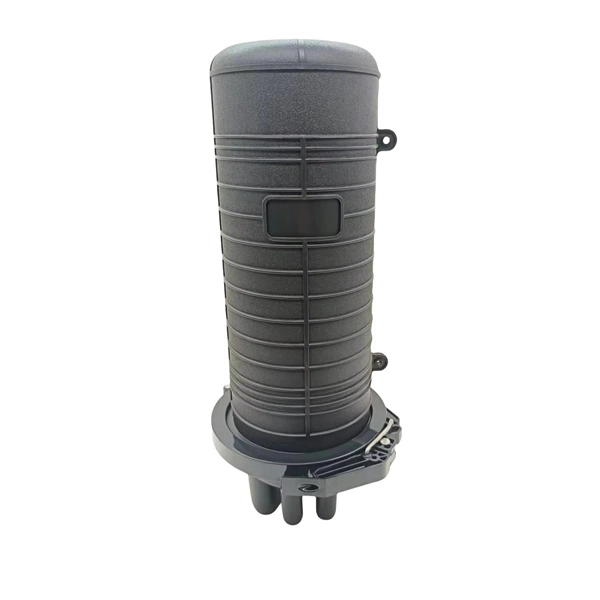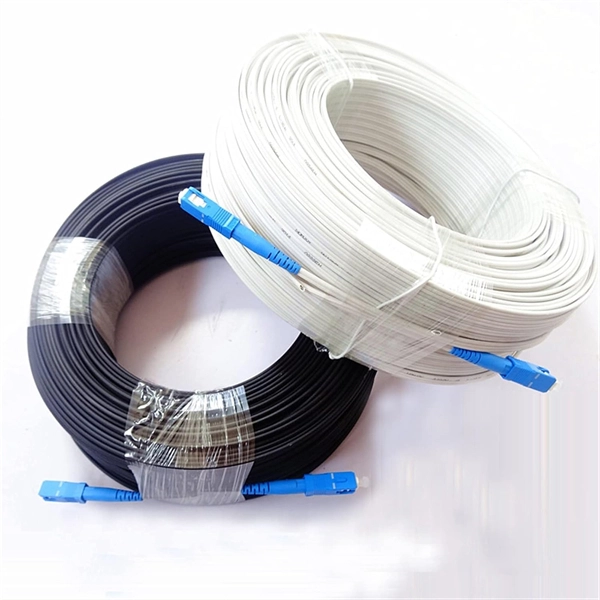
In this guide, we'll walk you through the entire process of preparing fiber optic cable for splicing and termination to fiber connectors. We'll explore the necessary tools, safety precautions, and step-by-step procedures for cable connectors, mechanical and. This article will guide you through the necessary tools, materials, and methods on how to connect fiber optic cables effectively, ensuring you achieve optimal performance from your fiber optic network. Have a network installation project? Fiber Optic Cables: The primary medium for your connections. There are many types of fiber optic connectors, including SC, LC, FC, ST, D4, MU, MT/MPO, etc. These connectors can be divided into single-mode and multi-mode fiber optic connectors according to their structure and purpose. Fiber optic connectors play an essential role in the realm of optical communication, enabling seamless connections between fiber optic cables. At the heart of any robust fiber optic network lies a crucial process: Preparing a fiber cable for termination of a connector or splice. Whether you're installing a new network, expanding an existing one, or. Fiber optic internet delivers blazing-fast speeds and reliable connectivity, making it a top choice for modern homes and businesses.
[PDF]
This guide will provide you with a detailed Cat 6 socket wiring diagram, outlining the necessary steps and components required for a successful installation. If you want to install a classic network socket, you must first strip the Cat. A special stripping tool for data cables is used here – for example, the Stripper No. Use side A to remove the protective jacket. 35, you can shorten the network cable (Cat. 7) a little bit, if required. If you have too much cable left, it will be harder to. Learn how to wire a distribution box step by step! This video shows real on-site footage of electrical installation, demonstrating safe and standardized wiring methods used by professionals. 5mm² wires, and the air conditioning circuit can use 2. Connection method: Each switch takes a wire from the incoming point and connects it to the incoming end of the switch, or uses parallel connection to reduce the difficulty. Learn how to install a distribution box safely and correctly. Covers wiring, placement, standards, and expert tips for a compliant setup. A distribution box is the heart of any electrical system. It takes the incoming power and safely distributes it to different circuits throughout your building. Understanding the wiring diagram of an electrical panel box is essential for electricians and homeowners alike, as it allows them to troubleshoot any electrical issues, carry out repairs, or make additions to the system.
[PDF]
The VIAVI ONMSi Remote Fiber Test and Monitoring System provides fiber network visibility that scales for both PON and point-to-point networks. ONMSi provides network visibility across the network core, metro, and access PON up to the premises of your residential, business or wireless. Cable tray is a raceway system designed to protect and route fiber optic patch cords, multi-fiber cable assemblies and intrafacility fiber cable to and from fiber splice enclosures, fiber distribution frames and fiber optic terminal devices AZE offers a variety of styles, materials and finishes. Our Fiber Cable Tray System is a comprehensive raceway solution for data center, enterprise, central office, and mobile switching center applications. Designed to route and protect fiber optic and high-performance copper cabling to and from network cabinets, distribution frames, and other terminal. From fiber raceways for protecting sensitive fiber optic cables to wire mesh cable trays for quick, versatile installations. Available in various sizes with complete accessories. Need Help with a Product You Own? Decide on the placement of racks and other equipment requiring power or data. Plan how data and power cables will be.
[PDF]
To increase the security of your network, consider adding one of the following 10 hardware firewalls which are suitable for home and small business networks. I have carefully selected the following devices ba.
[PDF]

This guide aims to provide a comprehensive overview of the entire process of designing and installing network cabling systems. We will walk you through each step—from understanding the basics and selecting the right components to planning, installation, and maintenance. An in wall network cabinet is a special type of enclosure that fits inside your wall. Unlike traditional floor-standing racks, these cabinets are recessed, which means they don't take up valuable floor space. They're designed to hold important networking equipment such as switches, patch panels. A cabinet or rack must belong to one of the following types: Standard 19-in. four-post EIA cabinet or rack, with mounting posts that conform to English universal hole spacing per section 1 of ANSI/EIA-310-D-1992. See Reference Perforated Cabinet. The aim is a secure, maintainable and scalable operation of the network environment. Step-by-step guide: In this way, patch panels, switches, cable routing and documentation are. Selecting the right network rack and cabinet types is crucial for accommodating your equipment and ensuring efficient airflow. For more information, see Requirements Specific to Perforated. Server racks, from a strict technical point of view, are designed to house computers that are dedicated to serving out data and the associated uninterruptible power supplies (UPS) to keep them running in the event of power failure. Often server racks are deep and are 23” wide, although 19” wide.
[PDF]
ADT used to require professional installation for all security systems, but the latest ADT Plus system now allows either DIY or professional installation, much like SimpliSafe. It still includes best-in-class equi.
[PDF]
In this guide, we'll explore top network rack options like the TECMOJO 12U Open Frame Network Rack and the ECHOGEAR 10U Network Rack. We will also cover features to consider, such as size, mounting style, and additional accessories. The 42U AV rack mount comes with thermostat, LCD screen, cooling fans, dust-tight cable entries, powerbar, casters, shelf, and fully locking cabinet doors and side panels. Ubuy works hard to protect your security and privacy. Our advanced payment security system ensures confidentiality by. Rack para servidor My Connection 8u. ULTIMOS! New and used Network Server Racks for sale in Montevideo, Uruguay on Facebook Marketplace. Find great deals and sell your items for free. A network rack is essential for organizing and securing your IT and AV equipment. Whether you need a wall-mounted or floor-standing rack, the right choice can make a big difference in your setup.
[PDF]
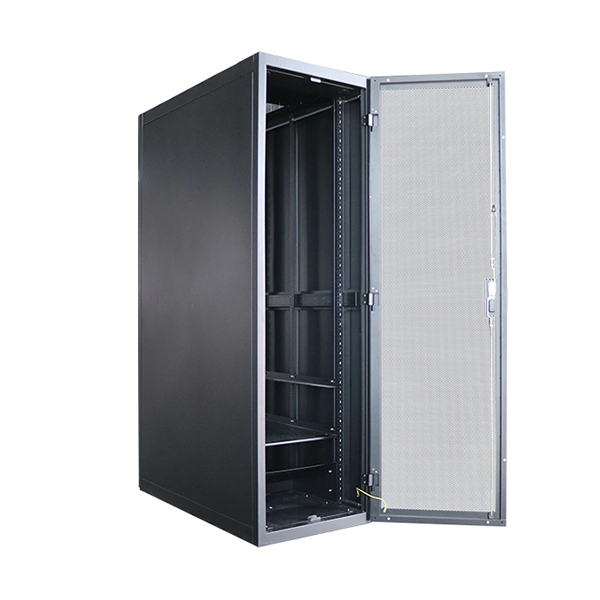
A server rack is a standardized metal enclosure designed to mount IT equipment—servers, switches, routers, PDUs, UPS systems, storage devices, patch panels, and cable managers—using vertical rails spaced according to the EIA-310 19-inch standard. What is a Server Rack? A server rack is specially designed to store various networking devices, which can effectively organize, manage, and protect network equipment including servers, network switches, routers, UPS, storage devices, etc., ensuring the stable and reliable operation of equipment. There are three primary rack types - open-frame racks, enclosed cabinets, and wall-mount racks, each suited for. The server rack is designed to house, organize and secure servers, networking equipment and other IT hardware. It provides efficient cable management, air flow and physical protection for sensitive electronic devices. Learn more about how airflow affects server performance in our detailed guide on how airflow works inside a. Hot and cold air containment systems designed to maximize cooling predictability, capacity, and efficiency at the rack, row or room level. Intelligent air containment solutions that protect critical IT equipment and personnel. Server racks come in a variety of sizes and configurations, ranging from small desktop units to large floor-standing.
[PDF]
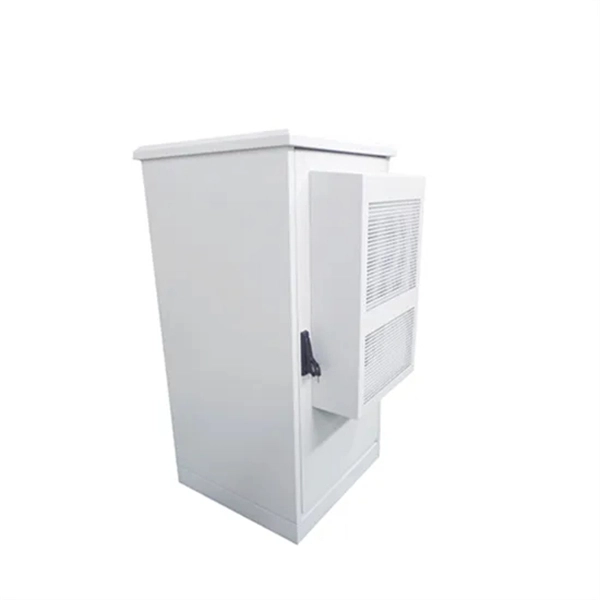
A Network Cabinet, often interchangeably called a server rack, is a physical frame or enclosure designed to house and organize various types of network hardware and accessories. This includes routers, switches, servers, patch panels, and other networking equipment. Not only a simple storage unit, a network cabinet is a key player in safeguarding and organizing critical network equipment. Whether you're setting up a new office or streamlining an existing network, understanding the importance, types, and usage of network cabinets is crucial. In this. Whatever location you choose, make sure it has adequate ventilation and is easily accessible. Once you've chosen the location, the next step is to select the right wiring cabinet. There are various options available, ranging from simple wall-mounted enclosures to larger floor-standing cabinets. Together, these reduce downtime by 18% and keep your IT infrastructure running smoothly. Let's explore each category in detail. When you set. Network server cabinets are the backbone of modern IT infrastructure, housing critical components that enable data processing, storage, and communication. The primary purpose of a network cabinet is to provide a centralized location where all. A network cabinet plays an essential role in the data center. Network cabinet helps improve cable management, physical security, ease of installation, etc. This article provides a simple guide to.
[PDF]
PoE delivers 44-57v of DC power over unshielded twisted-pair wiring for terminals consuming up to 25 watts, depending on the version of the standard in use. Power over Ethernet (PoE) describes any of several standards or ad hoc systems that pass electric power along with data on twisted-pair Ethernet cabling. This allows a single cable to provide both a data connection and enough electricity to power networked devices such as wireless access points. Imagine powering your entire network infrastructure through the same cables that carry your data, eliminating the need for separate power supplies and electrical outlets near every device. This isn't a futuristic concept—it's the reality that power over Ethernet has made possible since 2003. While PoE doesn't add Ethernet data capabilities, it does offer expanded options for how and where Ethernet end devices can be. Power over Ethernet is a technology that allows IP telephones, wireless LAN Access Points, security network cameras and other IP-based terminals to receive power, in parallel to data, over the existing CAT-5 Ethernet infrastructure without the need to make any modifications. The simple nature eliminates the need for multiple power supplies, and allows connectivity to devices where power outlets are not available. Instead of running a separate power line to each device, PoE lets the Ethernet cable (usually a Cat5e or Cat6 cable) carry both the network connection and.
[PDF]
PLANET GPN-100 is a GPON Optical Network Terminal (ONT) equipped with one GPON port and one Gigabit Ethernet RJ45 interface. The GigaPoint® GP1100G is an indoor, 2. 5 Gbps GPON ONU small form-factor service delivery terminal providing one 2. 5 Gigabit Ethernet (GE) interface delivering IPTV video and data services, and one voice line supporting carrier-grade VoIP (SIP). The GP1100G is designed for the industry-leading. GP5810-08 OLT is a highly integrated, large-capacity XG (S)-PON OLT for operators, ISPs, enterprises, and campus applications. The product follows the ITU-T G. 988 technical standard, and can be compatible with three modes of G/XG/XGS at the same time. The asymmetric system (up 2. This ONT supports the modern office and extended campus environments, and can be integrated inside office furniture, secured to a. An Optical Network Terminal (ONT) is a critical piece of equipment in fiber networks, enabling customer connections to the internet by converting optical signals to electrical ones. Monitoring the status of ONTs is essential for ensuring network reliability, identifying potential issues, and. NEW Frontier GPON ONT FOG421 Optical Network Terminal. Only 1 left! Only 1 left! Only 1 left! Get the best deals on optical network terminal when you shop the largest online selection at eBay. Free shipping on many items | Browse your favorite brands | affordable prices. The GPN-100 complies.
[PDF]
Designed to accommodate various equipment types, this 6U rack cabinet suits data centers, IT rooms, audio/video gear, and home offices, making it an ideal solution for diverse user needs. $. Barbados' leading IT, Computer & Consumer Electronics Superstore Retailer. This compact 6U enclosure maximizes storage while occupying minimal space, making it perfect for setups where. Part NO. Features: connected by four corner to ensure the stability; cable entry from the top cover and bottom panel; emovable side doors for easy installation and maintenance. Read more!. VEVOR 6U Wall Mount Network Server Cabinet, 15. 5" Deep, Server Rack Cabinet Enclosure, 200 lbs Max. Cabinets are used for storing routers, patch panels, switches and a wide variety of networking equipment and accessories.
[PDF]
In this guide, we will walk you through the process of setting up a network switch, from selecting the right equipment to connecting and testing the network. Ethernet switches, also called network switches, connect multiple devices via Ethernet cables. In contrast, a router connects your local area network (LAN) to the internet's. A practical, current guide to planning, pulling and terminating Cat6/Cat6A cable — tools, techniques, testing and labeling for reliable results. By Thomas McCormack • Updated Mar 17, 2026 • 12 min read • Lead Technician and Engineer, Data Wire Solutions Disclosure: Some links may be affiliate. With an Ethernet cable, you can hardwire your devices to your network, providing fast and efficient. Your ethernet switch doesn't come with any ethernet cables, so you want to have some on hand when setting up your switch. You'll need one cable to connect your ethernet switch and router together (assuming you want to provide your devices with an ethernet connection to the internet), and an. A network switch is a crucial component in any modern network, enabling seamless communication between devices. By the end of this tutorial. Connecting a network switch involves physically connecting devices using Ethernet cables and configuring them as needed, ultimately expanding your network connectivity and improving network performance. Connecting a network switch is a foundational skill for anyone managing a home or small business.
[PDF]
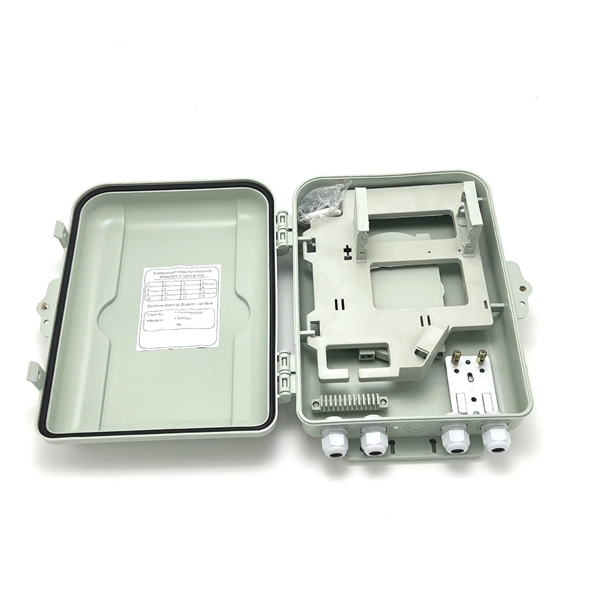
Network cabinets are enclosed systems designed to securely store, organize, and protect networking and IT equipment such as switches, routers, patch panels, servers, power strips, and cable management components. Ground-Mounted Load Capacity, with Locking Glass Door Side Panels, for IT Equipment, A/V Devices VEVOR 9U Wall Mount Network Server Cabinet, 15. 5" Deep, Server Rack Cabinet Enclosure, 200 lbs Max. Whether you're setting up a new office or streamlining an existing network, understanding the importance, types, and usage of network cabinets is crucial. These cabinets are widely used in server rooms, network wiring closets, industrial. Network Racks and Cabinets are essential for any network. From. Our vast selection of cabinets, thermal management, racks, enclosures for data centers, telecommunications equipment rooms, and enterprise cabling applications help optimize space, reduce energy consumption, and enhance network reliability. FlexFusion™ Cabinets XG offer a unique universal platform.
[PDF]
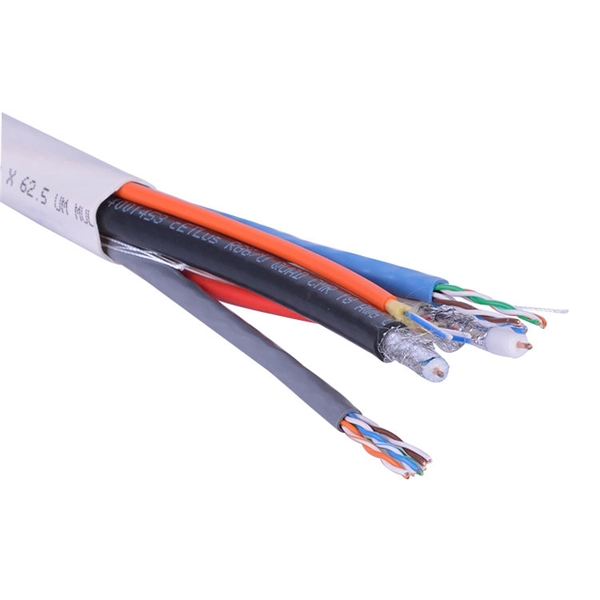
The Huawei OEGD01N01 is an Optical Functional Module known for its robust functionality in networking environments. It is a 1000BASE-T-SFP Module featuring an RJ45 Electrical Module with auto-negotiation capabilities. Optical modules are widely used in switches, network interface cards (NICs), routers, and other communication devices. During use, reading optical module information helps understand its real-time operating status, enabling faster troubleshooting of link abnormalities. The following uses the. A switch must use optical or copper modules that have been certified for use on Huawei switches. Non-certified optical or copper modules cannot ensure transmission reliability and may affect service stability. Designed for optimal performance, it supports a longest transmission distance of. OLT is the world's first Terabit fiber access system. With the pending support for XG-PON1 (10Gbps downstream and 2. 5Gbps upstream data rates) technology, Huawei's MA5600T OLT is designed to provide even higher subscriber bandwidth in shared fiber splitter applications. Huawei's all-in-one fiber. TX/RX power test ensures that the optical power are within the thresholds; remove the aged optical module with power loss, and the fake module with counterfeit label. Huawei is not liable for any problem caused by the use of non-certified optical or.
[PDF]